まず最初に、このイベントを成立させてくれた皆さん(トレーナー、スピーカー、スポンサー(Kandji)、その他いろいろ)に感謝したい。特に、これを取りまとめてくれた Patrick Wardle と Andy Rozenberg に大きな感謝を。❤️
#OFTW v3.0 って何?#
OBFTW v3.0 は、Apple セキュリティに興味のある学生を支援することを目的にした、数日間の対面イベント。世界トップクラスの Apple セキュリティ研究者がトレーニングと講演を提供する。#OFTW v3.0 は 2025 年 7 月 24–25 日にロンドンで開催された!
1 日目はトレーニング中心で、2 日目はトーク中心の構成。
OFTW は 招待制(invite-only) なので、興味がある学生は応募して、自分の背景と参加動機を簡単に書く必要がある。選ばれた参加者はトレーニングとトークにフルアクセスできる。イベント自体は無料だけど、旅費と宿泊費は自己負担。自分はパリからロンドンへ飛行機で移動したけど、正直それだけの価値があった。
OFTW は、Objective-See Foundation が主催する。ここは macOS 向けの無料オープンソース・セキュリティツールや書籍シリーズ、そして有名な OBTS のようなカンファレンスを作っている非営利団体。Foundation は、Mac マルウェア研究で有名な Patrick Wardle と Andy Rozenberg が率いている。
こういうイベントに参加したいなら、次回にぜひ応募してみてほしい。交通費やホテル代はかかるけど、それでも十分に検討する価値はあると思う。
今回のトレーナーとスピーカー(全部ではないけど)はこんな感じ:

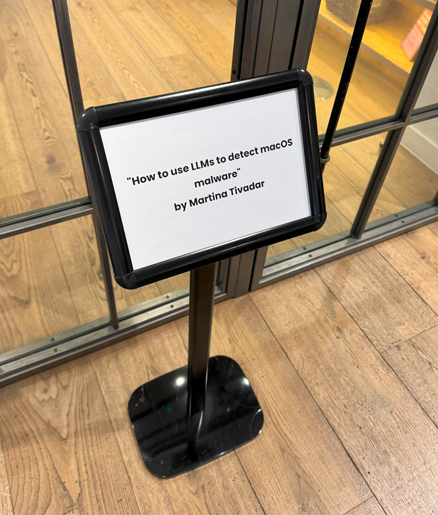
トレーニングは、Martina Tivadar(iVerify / Research Assistant)による “How to Use LLMs to Detect macOS Malware” を受講した。
トークのプログラムは以下:
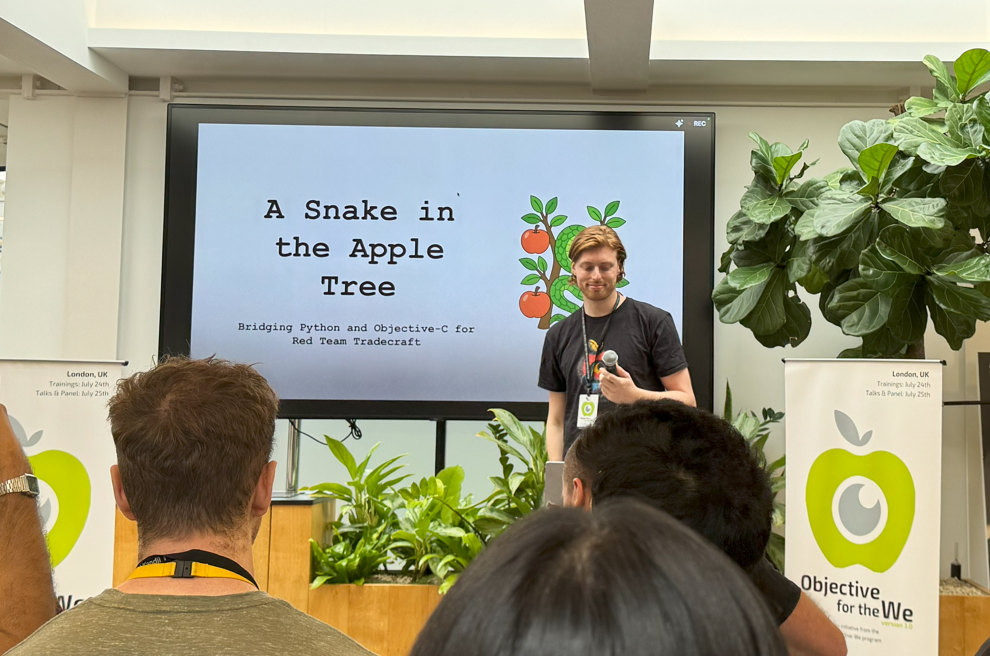
- A Snake in the Apple Tree: Bridging Python and Objective-C for Red Team Tradecraft - Luke Roberts (Senior Red Team Engineer, Github)
- How Far Can We Push AI for Detection - Martina Tivadar (iVerify)
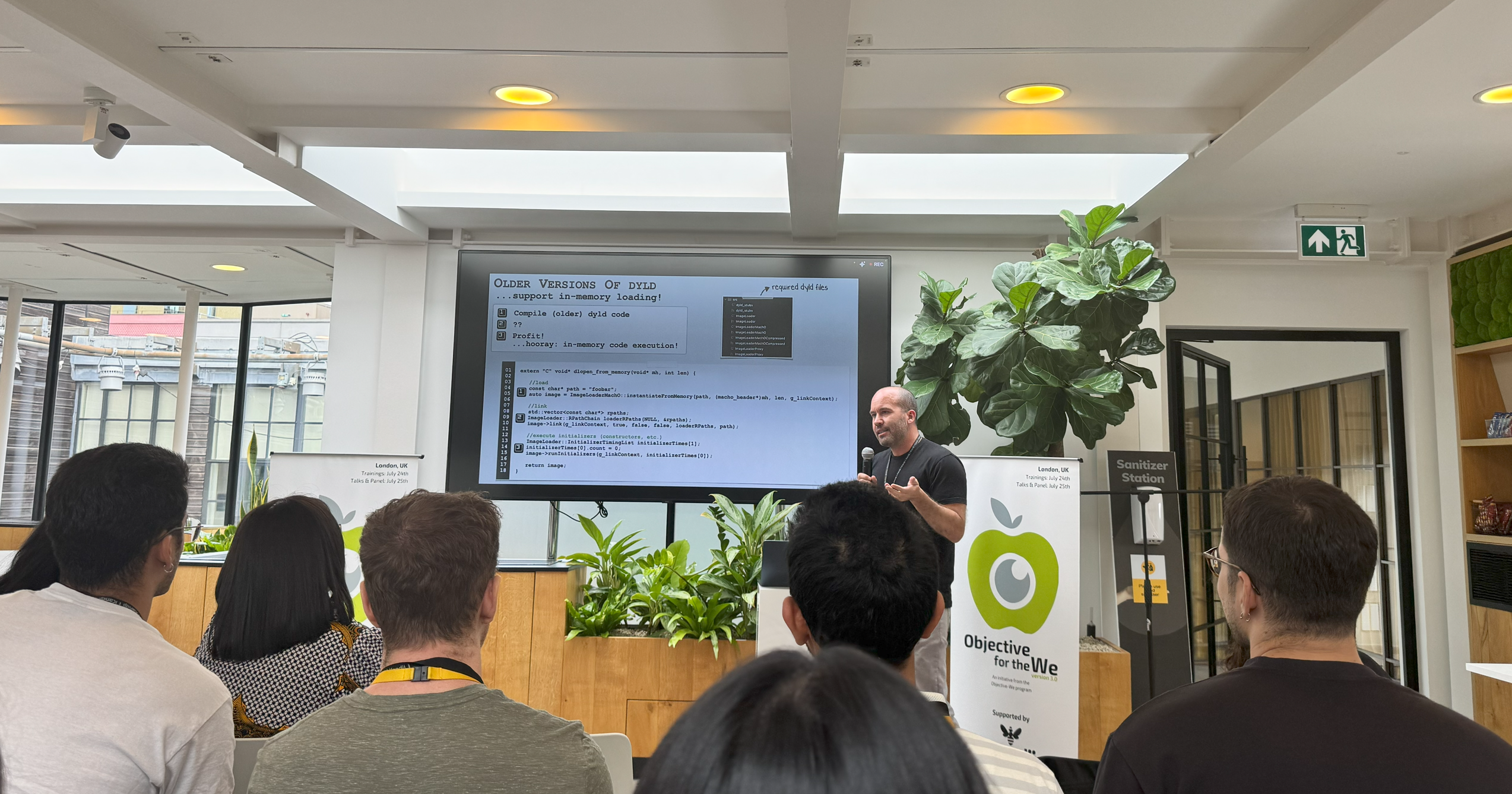
- Mirror Mirror: Restoring Reflective Code Loading on macOS - Patrick Wardle (Objective-See Foundation)
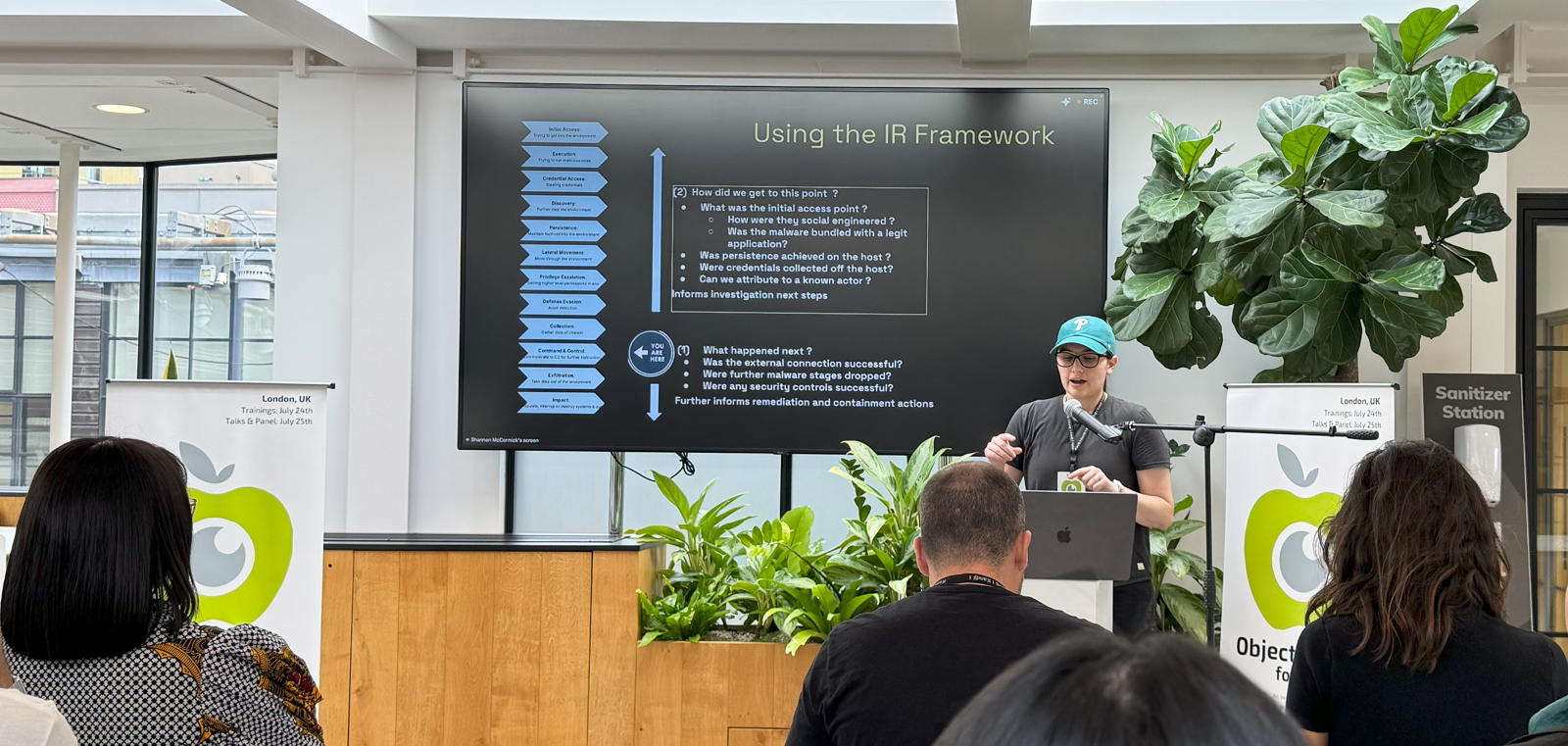
- From Alert to Action: Investigating a Real Security Incident - Shannon McCormick (Senior Incident Responder, Salesforce)
- Come Reverse Engineer Malware With Me - Chris Lopez (Senior macOS Security Researcher, Kandji)
- iPhone Forensics 101: Backups - Kinga Kieczkowska (Rada Cyber Security)
Day 1 - Training#
How to Use LLMs to Detect macOS Malware#
Introduction
iVerify の Research Assistant である Martina Tivadar が、macOS マルウェア検知において大規模言語モデル(LLM)がどう役に立つかを紹介してくれた。
トレーニング中は、Python、Apple の Endpoint Security framework、そして LM Studio でローカル実行する LLM / OpenAI API を使って、macOS マルウェアを検知する流れを扱った。
Apple の Endpoint Security framework って何?
自分もそうだったけど、Endpoint Security framework って何?と思う人もいるはず。
Apple’s Endpoint Security(ES)framework は C レベルの API で、ユーザー空間プログラムが macOS カーネルから流れてくるセキュリティ関連イベントのライブストリームに subscribe できる(プロセス起動、ファイル書き込み、マウント操作、ログイン、XProtect のスキャンなど、イベントは 100 種類以上)。
新しい System Extension アーキテクチャ上で動くので、脆いカーネル拡張(kext)に頼らずにシステムを監視できる。Apple は WWDC 2019 で ES を初めてプレビューし、macOS 10.15 Catalina で提供開始。以降の macOS リリースでイベントやツールが拡充され続けている。
興味があるなら、WWDC 2019/2020 の動画や資料もおすすめ:
- Build an Endpoint Security app
- System Extensions and DriverKit
- Monitoring System Events with Endpoint Security
ES framework は、マルウェア解析やハンティングの文脈でかなり強力。
実際、ES は攻撃者のトレードクラフトを「X-ray 視点」で覗くのに近い。なぜなら、ES が exec、mmap、ファイル作成、ネットワーク open など、あらゆるイベントの生データをタイムスタンプ付きで流してくれるから。これを時系列に並べると、しばしば「永続化」「横展開」みたいな行動が見えてくる。さらに、各イベントは es_message_t 構造体でリッチなコンテキスト(ファイルメタデータ、コード署名情報、親プロセスツリーなど)を含んで届く。
もう少し深掘りしたい人向けの資料:
では、トレーニング内容に戻る。
Manual way#
まずは「手動」アプローチ(ローカル LLM)で macOS マルウェアを検知する流れ。
Lab 1. 実際の macOS マルウェアのテレメトリを収集
最初に隔離。macOS VM を使い、objective-see/malware の GitHub リポジトリからサンプルを落として、Terminal に full-disk access を付与し、ネットワークインタフェースを外した。
その後、広めのイベントフィルタで eslogger を実行し、マルウェアを起動して、結果をすべて events.json に収集:
sudo eslogger exec create rename unlink tcc_modify open close write fork exit mount unmount signal kextload kextunload cs_invalidated proc_check > events.json
ログを外へ持ち出すために detachable な disk image を attach してファイルをコピーし、unmount、sync、そしてホスト側で mount する、という手順を取った。
Lab 2. ノイズだらけのテレメトリを「プロンプトに入るサイズ」へ圧縮
Python スクリプトでログを切り詰め、総コンテキストが 40,000 トークン未満になるようにした。今回は LM Studio のローカルモデルを使っていたので、特に自分は MacBook Air M2 上で回していてコンテキストウィンドウが小さく、制限が厳しめだった。
切り詰めは、意味的価値が薄いフィールドを落とすのが基本。
Lab 3. ローカルモデルでプロンプトエンジニアリングを試す
LM-Studio で複数のローカルモデルをホストしてテストし、シンプルな REST の例を http://localhost:1234/v1/chat/completions に向けて、6 種類のプロンプトスタイルを試した:
- zero-shot
- one-shot
- few-shot
- chain-of-thought
- negative
- hybrid
最終的に、zero-shot がマルウェアセットに対してほぼ完璧な recall(F1 ≈ 0.96)を出し、chain-of-thought が僅差で 2 位だった。
Automating everything in the cloud#
自動化は、GitHub Actions で組んだものをここに置いている: https://github.com/jaybird1291/OFTW-v3-training/actions/runs/16553582347/job/46811889162
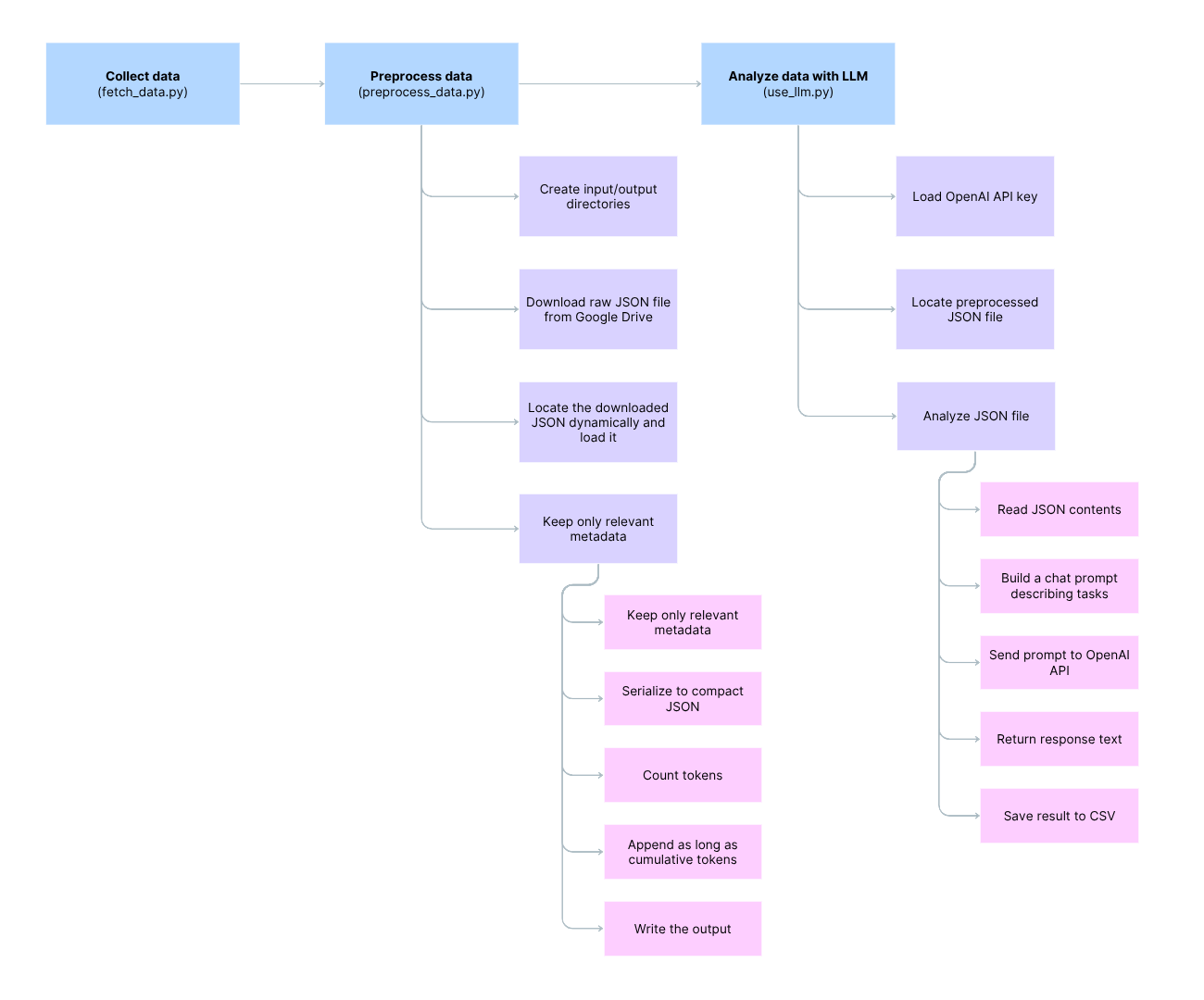
OpenAI API を使った最終ワークフローのプレビューはこんな感じ:
Setup
まず、GitHub Actions の secrets に OpenAI トークンを登録した GitHub リポジトリを用意する必要がある。
GitHub Actions は、.github/workflows/*.yml に 1 つ以上の「workflow」を定義できる。各 workflow には、どのイベント(push、PR、schedule など)で動くかが書かれ、workflow の中には job があり、job の中には step(コマンド実行など)が並ぶ。
GitHub Actions は再利用可能なステップの仕組みでもある。今回の文脈では、データ収集、前処理、OpenAI API での分析…といった一連の流れを自動で回せるのが便利。
同じアプローチは、自前の self-hosted CI/CD でも再現可能。SOC や IR の現場で、オンプレ環境で運用しつつ「機密データをネットワーク外に出したくない」ケースにも応用できるので、プロ用途でも使いどころは多いと思う。
Workflow
ワークフローはかなりシンプル:
- データ取得
- 前処理
- 分析
name: Fetch → Preprocess → Analyze

on: push
permissions:
  contents: write        # allow the bot to commit results.csv

jobs:
  build:
    runs-on: ubuntu-latest
    env:
      OPENAI_API_KEY: ${{ secrets.OPENAI_API_KEY }}   # expose the secret to every step
    steps:
      # 1. Source code
      - uses: actions/checkout@v4                     # latest checkout action

      # 2. Python runtime
      - uses: actions/setup-python@v4
        with:
          python-version: "3.11"                      # use one interpreter for every script

      # 3  Dependencies
      - name: Install Python packages
        run: |
          python -m pip install --upgrade pip
          pip install requests tqdm tiktoken openai

      # 4. Download & truncate (writes data_preprocessed/short.json)
      - name: Preprocess data
        run: python preprocess_data.py

      # 5. LLM analysis (reads ./data_preprocessed/short.json)
      - name: Analyze with o4-mini
        run: python use_llm.py

      # 6. Commit the CSV (if it changed)
      - name: Commit results.csv
        run: |
          git config --global user.name  'github-actions[bot]'
          git config --global user.email 'github-actions[bot]@users.noreply.github.com'
          git add results.csv
          git commit -m "Update analysis results" || echo "Nothing to commit"
          git pull --rebase
          git push
データの収集と前処理
fetch_data.py と preprocess_data.py は、ES framework が生成した JSON ログを Google Drive からダウンロードし、前処理するためのスクリプト。JSON には exec、create、rename、unlink、tcc_modify、open などのイベントが含まれる。
前処理では、不要な列の削除、欠損値の扱い、カテゴリ値のエンコード、特徴量エンジニアリング、スケーリング、そしてトークンサイズの制限を行った。
この preprocess_data.py の中で一番面白いのは、解析・ピボットに本当に役立つフィールドだけを残す部分。具体的には以下を keep している:
- プロセス情報:
pid、ppid、完全なargv、コード署名メタデータなど - ファイルイベント(
create、rename): それぞれのパスと POSIX メタデータ - Exec イベント: 起動されたプロセスのターゲットパスとコマンドライン
それ以外(カウント、policy ID、冗長なフラグ類)は落とし、最終 JSON を小さくする。
def prune_fields(item: dict) -> dict:
    """Return only the fields that are valuable for malware analysis."""

    proc = item.get("process", {})
    pr = {
        "event_type": item.get("event_type"),
        "time":       item.get("time"),

        # ---------- process ----------
        "process": {
            "pid":                proc.get("pid"),
            "ppid":               proc.get("ppid"),
            "start_time":         proc.get("start_time"),
            "argv":               proc.get("arguments"),       # full command‑line
            "executable_path":    proc.get("executable", {}).get("path"),
            "uid":                proc.get("audit_token", {}).get("uid"),
            "euid":               proc.get("audit_token", {}).get("euid"),
            "gid":                proc.get("audit_token", {}).get("gid"),
            "signing_id":         proc.get("signing_id"),
            "cdhash":             proc.get("cdhash"),
            "team_id":            proc.get("team_id"),
            "is_platform_binary": proc.get("is_platform_binary"),
            "image_uuid":         proc.get("image_uuid"),
        },
    }

    # ---------- file / fs events ----------
    ev = item.get("event", {})
    if "create" in ev:
        dst = ev["create"].get("destination", {}).get("existing_file", {})
        pr["event"] = {
            "create": {
                "destination_path": dst.get("path"),
                "inode":            dst.get("inode"),
                "mode":             dst.get("mode"),
                "uid":              dst.get("uid"),
                "gid":              dst.get("gid"),
            }
        }
    elif "rename" in ev:
        src = ev["rename"].get("source", {})
        dst = ev["rename"].get("destination", {}).get("existing_file", {})
        pr["event"] = {
            "rename": {
                "source_path":      src.get("path"),
                "destination_path": dst.get("path"),
                "inode":            dst.get("inode"),
                "mode":             dst.get("mode"),
                "uid":              dst.get("uid"),
                "gid":              dst.get("gid"),
            }
        }
    elif "exec" in ev:          # keep exec details too
        ex = ev["exec"].get("process", {})
        pr["event"] = {
            "exec": {
                "target_path":      ex.get("executable", {}).get("path"),
                "argv":             ex.get("arguments"),
                "cs_flags":         ex.get("cs_flags"),
                "signer_type":      ex.get("signer_type"),
            }
        }

    return pr
分析(LLM)
分析はコストの都合もあって o4-mini に絞った。OpenAI モデルの簡単な比較はこんな感じ:

プロンプトは自分の好みで “chain-of-thought” スタイルにした。コンテキストウィンドウがかなり大きいので、できる限り精密に文脈を与えるようにした。
雰囲気はこんな感じ:
def analyze_json(file_path: str, model: str = "o4-mini") -> str:
    with open(file_path, "r", encoding="utf-8") as f:
        data_str = f.read()

    prompt = (
        f"""YOUR PROMPT

        Tasks:
        1. Parse the input JSON array of EndpointSecurity (ES) events.
        2. Identify sequences or individual events that plausibly indicate malware or post-exploitation behaviour.
        3. Give recommendations, possible artefacts to check and retrieve and a check list for a deeper investigation by a dedicated team.

        Context
        - Event types present: exec, create, rename, unlink, tcc_modify, open, close, write, fork, exit, mount, unmount, signal, kextload, kextunload, cs_invalidated, proc_check.
        - Typical malicious clues include:
            - Unsigned or ad-hoc-signed binaries executed or kext-loaded.
            - Exec / write / rename in temporary, hidden, or user-library paths (`/tmp`, `/var/folders`, `~/Library/*/LaunchAgents`, etc.).
            - Rapid fork chains (“fork bombs”), unexpected `signal` storms, or `proc_check` failures.
            - `tcc_modify` denying transparency-consent or privacy prompts.
            - `mount` or `unmount` of disk images followed by `exec`.
            - `cs_invalidated` on running code or `kextunload` immediately after `kextload`.
            - Creation or unlinking of persistence files (LaunchAgents/Daemons, login hooks, cron, rc.plist).
        - Treat developer tools, Apple-signed code, and items in `/Applications` as low-risk unless combined with other red flags.
        - List of typical malware behaviour / IOC to rely on:
            - Silver Sparrow style: LaunchAgent under ~/Library/Application Support/ with “agent_updater”-like name; DMG mount → exec chain; binary self-deletes.
            - Shlayer style: “Flash Player” installer writes shell script to /private/tmp then launches via open; cleans up with unlink.
            - XLoader style: hidden java-child process in ~/Library/Containers/... ; key-logging and clipboard read; persistence via user LaunchAgent.
            - Adload style: ≥1 LaunchAgent **and** two LaunchDaemons, plus cron job; payload hidden in ~/Library/Application Support/<UUID>/<UUID>.
            - MacStealer style: exfil files staged in /var/folders/*/T/* then zipped and POSTed, directory removed afterwards.
            - TCC-bypass/ColdRoot: direct edits to TCC.db (tcc_modify) or cs_invalidated events on unsigned binaries touching privacy-protected resources.
            - 2024 backdoors: unsigned bundle in user Library with innocuous icon; spawns reverse-shell child after 30-120 s sleep.
            - Turtle (ransomware) pattern: burst of fork + write events (>500 files/min) followed by extension rename.
            - LaunchAgent/LaunchDaemon persistence (MITRE T1543.001/.004): new *.plist in /Library/LaunchDaemons or ~/Library/LaunchAgents with RunAtLoad=true.
            - Plist modification (MITRE T1647): sudden changes to Info.plist or LSEnvironment keys enabling hidden execution or dylib hijack.
        {data_str}
        """
    )

    completion = client.chat.completions.create(
        model=model,
        messages=[
            {"role": "system", "content": "You are an expert macOS incident-response analyst."},
            {"role": "user", "content": prompt}
        ]
    )

    return completion.choices[0].message.content.strip()
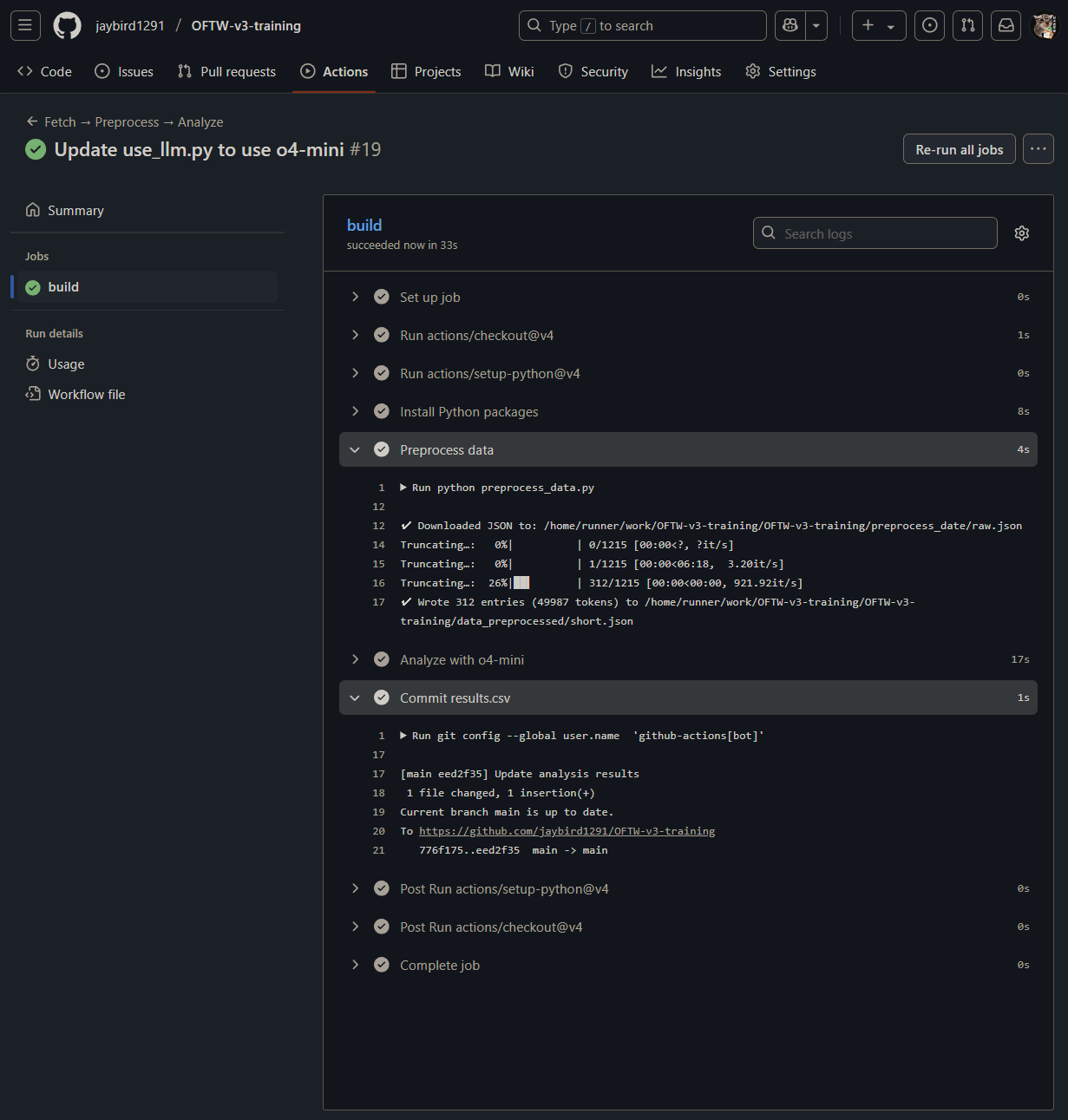
GitHub Actions の見た目はこんな:
そして、Atomic Stealer の ES ログを入れたときの o4-mini の回答例:
Analysis Results:
1. Suspicious execution chain
  – 19:40:08 “Trading View” launched from /Volumes/Trading View (adhoc-signed, external volume)
  – Immediately creates folder “521272586” under the user’s home and subdirs “Chromium”, “Chrome”
  – Copies sensitive browser artefacts: Autofill0, Password1, Cookies2
  – Spawns dscl (reads directory services), osascript, system_profiler (gathers system inventory)
  – Writes “password-entered” and “login-keychain” files
  – Zips the entire folder (ditto → 521272586.zip)
  => Classic “stealer” behavior: harvest browser credentials, system info, keychain hints, bundle and prepare for exfiltration.
2. Key artefacts to collect now
  • /Volumes/Trading View/Trading View.app & associated helpers – check code signature, inspect binary for strings, sandbox escapes
  • ~/521272586/ and ~/521272586.zip – exfiltrated payload, browser profiles, keychain dumps
  • Chrome ~/Library/Application Support/Google/Chrome/Default/Cookies, Login Data, Local State
  • Firefox ~/Library/Application Support/Firefox/Profiles/*.default*/cookies.sqlite, logins.json
  • ~/Library/Keychains/login-keychain & password-entered file
  • Shell history (~/.zsh_history) around 19:40:08
  • /var/folders/*/T/com.apple.mobileassetd for MADAnalytics files
  • /System/Library/AssetsV2/persisted/AutoControlManager & AutoAssetScheduler states
  • TCC database (/Library/Application Support/com.apple.TCC/TCC.db) for unauthorized entries
3. Recommended triage steps
  a. Isolate the host (block further network egress)
  b. Acquire a full disk image and live memory
  c. Extract and inspect the “Trading View” binary with strings, lldb, Hopper/IDA
  d. Decompress 521272586.zip, examine stolen data, check for exfil scripts or hardcoded C2
  e. Audit browser extensions, check for malicious injected code or stolen session tokens
  f. Review launchd, cron, LaunchAgents/Daemons for persistence plist entries (~/Library/LaunchAgents, /Library/LaunchDaemons)
  g. Check for unexpected network connections in /var/log/wifi.log, pf or firewall logs around 19:40
  h. Search syslog and unified logs for any cs_invalidated, kextload, or tcc_modify events
4. Investigation checklist
  1. Collect disk image & memory
  2. Extract and validate “Trading View” code signature; compute hash against known malware DBs
  3. Parse shell history for subsequent exfil commands
  4. Recover browser data stolen; identify what exactly was grabbed
  5. Analyze mobileassetd & chronod writes (may reveal other asset downloads or tracking)
  6. Dump TCC.db and check consent grants for osascript or system_profiler
  7. Review network sessions (packet captures, proxy logs) for POST of 521272586.zip
  8. Hunt for persistence: new plist in ~/Library/LaunchAgents, ~/Library/LaunchDaemons, /etc/cron*
  9. Audit kext, kernel messages for cs_invalidated or kextload/unload around activity
  10. Elevate case to IR team for full forensic and IOC rollout
Day 2 - Talks#
トークについては、正直スライドや資料を見てもらうのが一番だと思う。ここに何かを足しても、たぶんそれ以上にはならない(たぶん)ので。
個人的には Patrick Wardle と Shannon McCormick のトークが特に刺さった。完全に個人の好みだけど。
自分が入手できた/ネットで見つけられたスライドはここ:
Mirror Mirror: Restoring Reflective Code Loading on macOS - Patrick Wardle (Objective-See Foundation) :
From Alert to Action: Investigating a Real Security Incident - Shannon McCormick (Senior Incident Responder, Salesforce)
- link to download : files/Shannon-McCormick-Talk.pdf
How Far Can We Push AI for Detection - Martina Tivadar (iVerify)
iPhone Forensics 101: Backups - Kinga Kieczkowska (Rada Cyber Security)
トーク会場の写真も少し。会場がかなり良かった。